
This post was originally posted on Caroline’s Forms That Work website – the companion site to her book with Gerry Gaffney Forms that work: Designing web forms for usability, Morgan Kaufmann/Elsevier, November 2008.
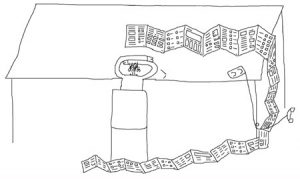 We love working with paper forms, but were persuaded that it was better to write a short book – so we concentrated on web forms. Most of the chapters in Forms that work: Designing web forms for usability work just as well for paper forms design:
The chapters in our book offer advice that can be applied to paper forms
Introduction: what is a form – works for paper
1. Persuading people to answer – works for paper.
2. Asking for the right information – definitely works for paper, and some of the things we recommend such as watching people deal with the incoming forms are a lot easier to do with paper.
3. Making questions easy to answer – definitely works for paper.
4. Writing instructions – definitely works for paper.
5. Choosing forms controls – focuses solely on web form controls, so it’s not really relevant for paper.
6. Making the form flow easily – the parts about validations are only relevant to electronic forms. The bits about breaking a form up into topics are relevant to paper.
7. Taking care of the details – works for paper, although obviously on paper you can’t enforce required field indicators so just leave them off.
8. Making the form look easy – the sections on grids and grouping are relevant.
9. Testing – definitely works for paper.
You can read more of my articles on paper forms
Two of Caroline’s articles about paper forms:
#forms #formsthatwork