
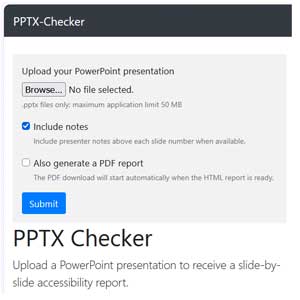
We think that it’s really important to make PowerPoint presentations accessible. And that means: writing alt text for all the images.
PowerPoint does have quite a useful accessibility checker that tells you whether or not an image has alt text. But it doesn’t tell you what the alt text says – so that could be a file name, something generic generated by AI, the alt text for the wrong image, or even (hooray) the useful description that we are aiming for.
If you’ve ever clicked, clicked, clicked through a long set of slides, checking the alt text on each image one by one: you’ll love the PPTX Checker app.
It’s free, does not require any log-in, and does not keep any files or other identification.
The PPTX Checker app:
- reads a file in .pptx format
- checks the reading order of each item on each slide
- extracts all the alt text
- and gives you a slide-by-slide report on screen on what it finds.
You can choose to include or exclude speaker notes, and you can also create a .pdf report.
Here is an example of the checker
This slide came from a presentation about error rates that I did at a conference in 2025. The full presentation is linked in How to think about error rates.
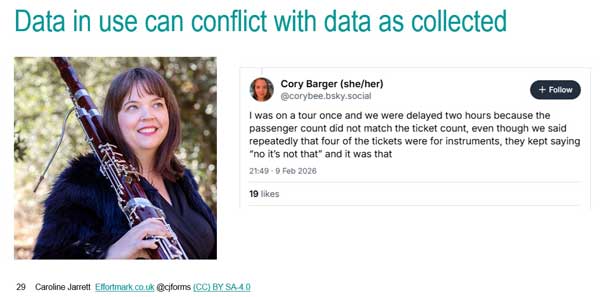
On a large conference screen, the slide was reasonably legible for most people. But I needed to add alt text for people who use screen readers or who might have trouble reading it on a small screen. The PPTX-Checker reports it as plain text.
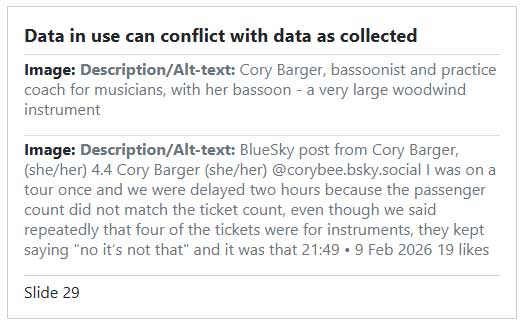
And here’s the actual text from the PPTX-Checker (which, of course, I’ve included as the alt text of the image above).
Image: Description/Alt text: Cory Barger, bassoonist and practice coach for musicians, with her bassoon – a very large woodwind instrument
Image: Description/Alt text: BlueSky post from Cory Barger, (she/her) 4.4 Cory Barger (she/her) @corybee.bsky.social I was on a tour once and we were delayed two hours because the passenger count did not match the ticket count, even though we said repeatedly that four of the tickets were for instruments, they kept saying “no it’s not that” and it was that 21:49 • 9 Feb 2026 19 likes
Thanks to everyone who has worked on the app
In 2016, we started working on an app to help us check the accessibility of Effortmark presentations.
The first app was created for Effortmark by Joe Lanman and Peter Flynn.
The next version came out in 2021, created by Andy Parker with help from Frank Z and Malcolm Jarrett.
The current version (2026) was updated and moved to the Effortmark site by Fraser Smith.